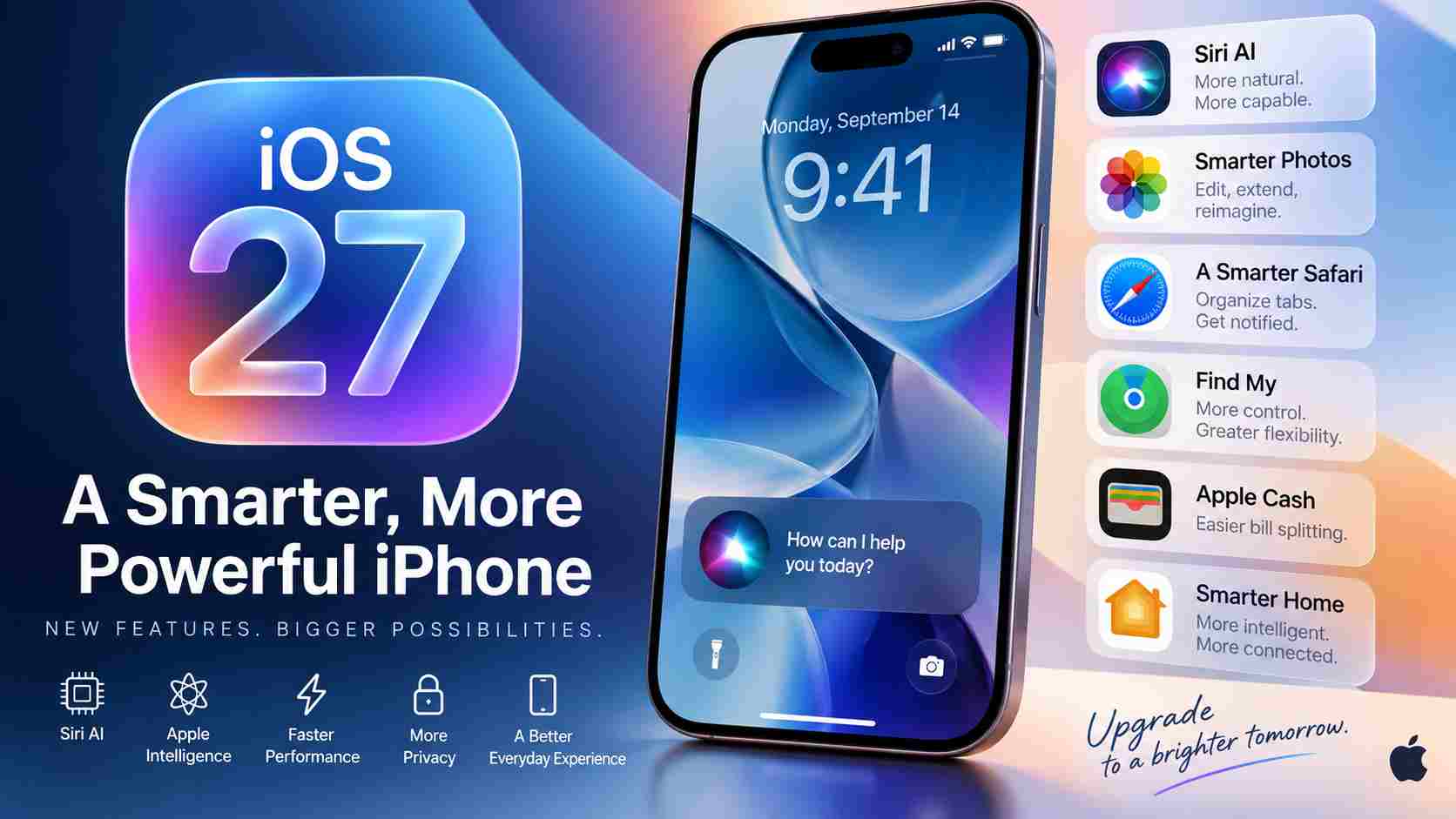
Apple’s next major iPhone software update, iOS 27, arrives on September 14, 2026, bringing one of the biggest upgrades to the iPhone experience in recent years.
While Apple has made improvements across design, performance, privacy, connectivity, accessibility and everyday apps, the headline addition is Siri AI. The redesigned assistant is powered by Apple Intelligence and is built to handle significantly more complex and natural requests than the traditional version of Siri.
iOS 27 also expands AI-powered photo editing, improves Image Playground, introduces smarter automation in Shortcuts, refines Apple’s Liquid Glass interface, improves Find My location sharing and adds several useful features across Wallet, Safari, Mail, Home and other apps.
However, not every iPhone capable of installing iOS 27 will receive every feature. Advanced Apple Intelligence and Siri AI capabilities require newer hardware.
Here is a detailed look at what iPhone users can expect from iOS 27.
iOS 27 Release Date
Apple has confirmed that iOS 27 will be available starting September 14, 2026 as a free software update for compatible iPhones.
Once the update becomes available for your device, you can check for it by going to:
Settings → General → Software Update
The rollout may not appear on every iPhone at exactly the same moment, so users who do not immediately see the update should check again later.
As with any major iOS release, users may also want to back up important photos, files and other information before beginning the installation.
Siri AI Is the Biggest Upgrade in iOS 27
The biggest change arriving with iOS 27 is the introduction of Siri AI, Apple’s next-generation version of Siri.
Siri has traditionally been useful for relatively straightforward jobs such as starting timers, making calls, sending messages, playing music or checking information. Siri AI is designed to take the assistant much further.
Apple says users can communicate with Siri AI naturally through either text or voice. The assistant is intended to provide richer answers and help users complete more complicated tasks.
There is also a dedicated Siri app, providing another way to interact with the assistant.
Instead of treating Siri primarily as a voice-command system, Apple is turning it into a broader AI assistant that can help with planning, writing, research, brainstorming and tasks involving information from different apps.
Siri AI Can Understand Personal Context
One of the most important parts of the new Siri experience is its ability to use relevant personal context.
This can make requests much more useful because users do not always need to manually provide every piece of information Siri needs.
For example, Siri AI can potentially assist with requests involving information stored across supported apps, allowing it to provide answers and perform actions that are more relevant to the individual user.
Apple continues to position privacy as a major part of its AI strategy, combining on-device processing with its broader Apple Intelligence architecture for supported tasks.
Siri AI Gets On-Screen Awareness
Siri AI can also understand information displayed on the iPhone screen.
This means users can ask questions or request actions related to what they are currently viewing instead of manually copying information from one app to another.
This deeper integration is important because it moves Siri beyond answering isolated questions and toward helping users interact with content already on their devices.
Siri Mode Comes to the Camera
iOS 27 also brings Siri intelligence directly into the Camera experience.
With Siri mode in Camera, users can point their iPhone at something in the real world and use visual intelligence to learn more about it or take relevant actions.
This could make the iPhone camera useful for much more than taking photos and videos. The camera effectively becomes another way to interact with Siri and Apple Intelligence.
More Apple Intelligence Features
Siri AI may receive most of the attention, but iOS 27 expands Apple Intelligence across several parts of the operating system.
Apple is bringing new AI capabilities to Photos, Image Playground, Messages, Mail, Shortcuts, Safari, Home and other experiences.
More Powerful AI Photo Editing
The Photos app receives several intelligent editing improvements.
One of the most interesting additions is Spatial Reframing, which can help users reframe an image after it has already been captured.
Apple is also introducing an Extend tool that can expand a photo beyond its original boundaries.
The existing Clean Up feature has also been enhanced so that users can remove larger unwanted objects from their pictures more effectively.
Together, these features give iPhone users considerably more flexibility when editing photos without requiring a separate professional editing application.
Availability and usage limits may apply to some AI-powered features.
Image Playground Gets Photorealistic Creation
Image Playground is also becoming more capable with iOS 27.
Users can create images in a wider range of visual styles, including photorealistic images. Existing images can also be modified or transformed by describing the desired result.
This makes Image Playground useful for more than stylized AI graphics and expands Apple’s generative-image tools for everyday users.
Usage limits may apply.
Create Shortcuts by Simply Describing What You Want
The Shortcuts app has always been powerful, but building complicated automations can require time and knowledge of how individual actions work.
iOS 27 makes the process easier with Apple Intelligence.
Users can describe the automation they want in natural language, and Shortcuts can connect appropriate actions across compatible apps to create it.
For example, a user could describe an automation that sends a message containing their estimated arrival time when they leave work.
Instead of manually building every step, Apple Intelligence can help turn the description into a working shortcut.
Smarter Suggestions in Messages and Mail
Apple Intelligence can recognize useful context inside conversations and emails and suggest relevant actions.
For example, information in a message could generate a suggestion to create a reminder or save something to Notes.
The objective is to reduce the number of steps users need to take when information received in one app needs to become an action somewhere else.
Some suggestion features are initially limited by language availability.
Safari Gets Smarter Tab Organization
Safari receives new intelligence features designed to make browsing easier.
Tabs can be automatically organized into topics, helping users manage large numbers of open pages.
This can be particularly useful for people researching products, planning trips, studying or working across several related websites.
Safari Notify Me Can Monitor Web Pages
Another useful Safari feature is Notify Me.
Instead of repeatedly checking a webpage yourself, Safari can monitor supported pages for changes and alert you when something relevant happens.
Apple gives examples such as monitoring a product for a price change or restock.
This turns Safari into a more proactive browser rather than requiring users to repeatedly revisit the same webpage.
Liquid Glass Gets More Customization
Apple introduced the Liquid Glass visual language with iOS 26, and iOS 27 continues to refine the design.
Apple says it has improved the interface with more consistent refraction and better contrast, which should make interface elements easier to read.
App icons have also been refined to appear sharper and more detailed.
More importantly, users now have additional control over how Liquid Glass appears.
A new customization slider allows users to adjust the interface between a clearer appearance and a more heavily tinted look.
That gives people more control over the balance between Apple’s transparent visual effects and readability.
iOS 27 Brings Major Performance Improvements
Not every important upgrade in iOS 27 is an obvious visual feature.
Apple has also worked on the underlying performance of the operating system.
According to Apple, iOS 27 can deliver:
- App launches that are up to 30% faster
- New photos loading in the Photos library up to 70% faster
- AirDrop transfers that are up to 80% faster
Apple also says it has made deeper system-level improvements, including work on CPU scheduling.
Actual performance will naturally depend on the iPhone model, workload and other conditions, but these optimizations could make iOS 27 feel noticeably more responsive during everyday use.
Better Wi-Fi and Cellular Transitions
iOS 27 also improves the way an iPhone moves between Wi-Fi and cellular networks.
The system is designed to select the most appropriate available connection more seamlessly.
This could help in situations such as leaving home while using Maps or continuing a FaceTime call while transitioning between different networks.
It is a relatively small feature compared with Siri AI, but one that could improve everyday reliability.
Mail Search Gets More Relevant
Finding an old email can be difficult, especially for users with thousands of messages.
iOS 27 introduces an improved ranking system in Mail search.
Instead of simply surfacing matching messages, Mail can prioritize results it considers most relevant, helping users find important information even when the message is buried deep in their inbox.
Apple Cash Makes Splitting Bills Easier
Apple is adding an intelligent bill-splitting feature using Apple Cash and Apple Intelligence.
Users can scan a physical receipt with their iPhone camera or use an existing image of a bill.
The system can identify individual items and help calculate how much each person needs to pay, including their portion of taxes and tips.
The feature can be accessed through supported Apple experiences such as Messages and Wallet, as well as through visual intelligence and Siri mode in Camera.
Apple Cash itself is only available in the United States, so this particular iOS 27 feature is region-dependent.
Find My Gets Flexible Location Sharing
Find My receives a useful privacy and convenience upgrade in iOS 27.
Users gain more flexibility over exactly how long they share their location.
Instead of relying only on a small selection of predefined options, users can choose a custom duration measured in minutes, hours or days. They can also specify an exact date and time when location sharing should stop.
This could be useful when temporarily sharing a location during a trip, event or meetup.
Users can also temporarily pause location sharing with specific people until the end of the day.
Apple suggests scenarios such as shopping for a surprise gift or preparing a surprise event where temporarily hiding your location could prevent the surprise from being spoiled.
CarPlay Expands Video Support
iOS 27 also expands video capabilities for compatible CarPlay systems.
Developers can create CarPlay apps that provide video-browsing experiences, while supported vehicles can allow users to watch video content through compatible systems.
There is an important safety restriction: video playback is intended for situations when the vehicle is parked rather than being driven.
Possible uses include watching content while charging an electric vehicle or waiting in a parked car.
Support will depend heavily on the vehicle and its CarPlay implementation, so users should not expect the feature to work with every existing CarPlay-equipped vehicle.
Smarter Home Features
Apple Intelligence is also expanding into the Home app.
iOS 27 can intelligently combine related Home activity notifications, helping reduce clutter when several related events happen around the same time.
For compatible HomeKit Secure Video cameras, Apple Intelligence can also describe recorded activity and help users search for footage based on what happened.
Supported HomeKit Secure Video cameras can additionally stream and record video in 4K.
These improvements make Apple’s smart-home platform more useful for people managing multiple cameras and connected devices.
Improved iCloud Shared Albums
Shared Albums become easier to use with people who do not own Apple devices.
Friends and family using Android or Windows can more easily participate through iCloud.com and contribute photos.
Apple is also adding full-resolution sharing along with new ways to filter, react to and invite people to Shared Albums.
This could make iCloud photo sharing considerably more practical for families and groups using a mixture of devices.
Accessibility Improvements
Accessibility remains an important part of iOS, and iOS 27 brings additional improvements.
VoiceOver gains more advanced capabilities for understanding visual information, including richer descriptions of images and scenes.
Apple is also introducing enhanced captioning features that can generate synchronized subtitles for video content and, in supported situations, translate existing captions into other languages.
Magnifier receives additional tools designed to assist people with low vision.
Availability can vary by language and region.
Enhanced Flyover in Apple Maps
Apple Maps is upgrading Flyover with a combination of aerial imagery and visual intelligence.
The improved system is designed to render finer details in supported locations, including architectural elements, vegetation and other features of the environment.
The result should provide a more detailed and realistic way to explore supported cities from an aerial perspective.
AirPods Custom EQ
Users with compatible AirPods gain additional control over audio through Custom EQ.
The feature allows users to adjust different parts of the sound profile, including lows, mids and highs, from AirPods settings.
It provides another layer of personalization for people who prefer a particular sound signature for music and other audio.
GymKit Comes to iPhone
GymKit is expanding directly to the iPhone.
Users can connect their iPhone with compatible cardio equipment such as treadmills, exercise bikes, ellipticals and stair-steppers to receive workout metrics.
Apple is also expanding its health and fitness ecosystem through compatible AirPods, allowing supported models to contribute heart-rate information during workouts.
Which iPhones Support iOS 27?
iOS 27 supports a broad range of iPhones, including devices dating back to the iPhone 11 generation.
Compatible models include:
- iPhone 18 Pro
- iPhone 18 Pro Max
- iPhone Duo
- iPhone 17e
- iPhone 17
- iPhone 17 Pro
- iPhone 17 Pro Max
- iPhone Air
- iPhone 16e
- iPhone 16
- iPhone 16 Plus
- iPhone 16 Pro
- iPhone 16 Pro Max
- iPhone 15
- iPhone 15 Plus
- iPhone 15 Pro
- iPhone 15 Pro Max
- iPhone 14
- iPhone 14 Plus
- iPhone 14 Pro
- iPhone 14 Pro Max
- iPhone 13
- iPhone 13 mini
- iPhone 13 Pro
- iPhone 13 Pro Max
- iPhone 12
- iPhone 12 mini
- iPhone 12 Pro
- iPhone 12 Pro Max
- iPhone 11
- iPhone 11 Pro
- iPhone 11 Pro Max
- iPhone SE (2nd generation and later)
However, installing iOS 27 does not mean every iOS 27 feature will work on the device.
Which iPhones Support Siri AI and Apple Intelligence?
The hardware requirements for Apple Intelligence are significantly higher than the basic requirements for iOS 27.
Apple says Apple Intelligence support extends to iPhone 16 models and later, along with the iPhone 15 Pro and iPhone 15 Pro Max.
That means older compatible devices can still receive iOS 27 and benefit from many operating-system improvements, but they will miss some of the headline AI functionality.
Feature availability can also depend on language and region.
Siri AI Initially Rolls Out in English
Siri AI does not launch everywhere in every language simultaneously.
Apple says Siri AI is rolling out in English initially.
Meanwhile, the broader Apple Intelligence platform supports a larger collection of languages. Apple also notes that individual features can have different language, hardware and regional requirements.
Users should therefore check Apple’s feature-availability information before assuming that a particular AI feature will work in their country and preferred language.
Should You Upgrade to iOS 27?
For most users with a compatible iPhone, iOS 27 is a significant update.
People using newer Apple Intelligence-compatible devices will see the biggest difference because Siri AI and the expanded AI tools represent some of the update’s most substantial changes.
Even users with older compatible iPhones still receive numerous improvements across design, connectivity, system performance, Find My, accessibility and Apple’s core applications.
As with any major operating-system release, users who depend on critical business, banking or specialist applications may prefer to verify app compatibility before installing immediately.