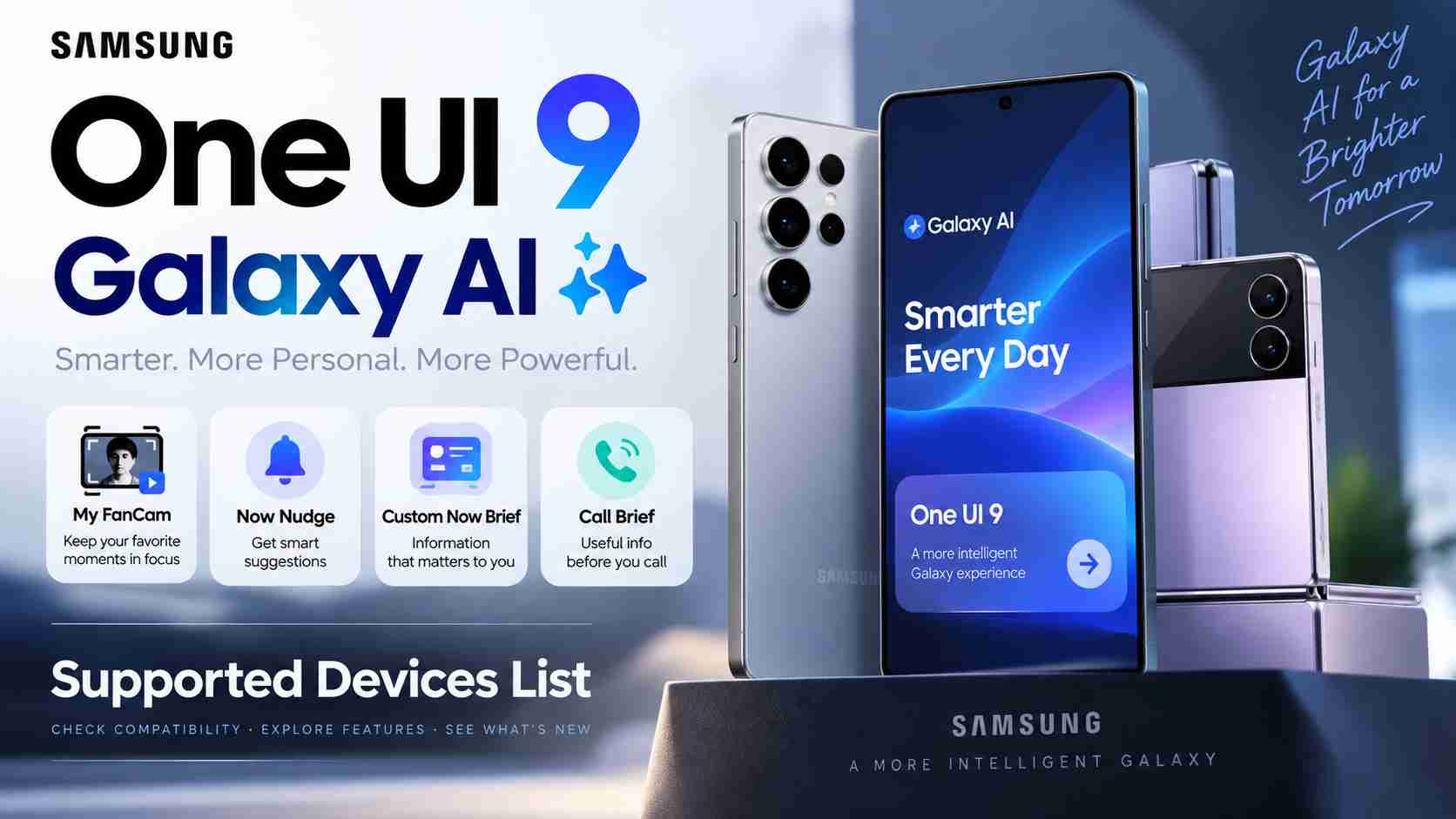
Samsung’s One UI 9 update is bringing a new generation of Galaxy AI features to compatible Galaxy smartphones. However, there is an important detail Galaxy owners need to know: receiving the One UI 9 update does not automatically mean your phone will support every new Galaxy AI feature.
Samsung began the broader stable One UI 9 rollout on September 16, 2026, starting with the Galaxy S26, Galaxy S26+, and Galaxy S26 Ultra. The software had already debuted on Samsung’s latest foldable devices, including the Galaxy Z Fold 8 Ultra, Galaxy Z Fold 8, and Galaxy Z Flip 8.
The update introduces several AI-powered improvements designed to make Galaxy devices more personalized and context-aware. Among the most notable additions are My FanCam, improved Now Nudge, customizable Now Brief cards, and Call Brief.
But support differs considerably between Galaxy generations.
Some recent flagship phones can use all four features, while certain Fan Edition models miss Call Brief. Older devices may still be eligible for One UI 9 without receiving these particular Galaxy AI upgrades.
Here is what Galaxy users need to know.
One UI 9 Rollout Has Officially Started
Samsung officially started expanding One UI 9 to more Galaxy devices in September 2026.
The stable rollout began with the Galaxy S26 series on September 16, following One UI 9’s debut on Samsung’s 2026 foldable lineup.
Samsung says the update will gradually expand to additional compatible Galaxy devices. That means availability can differ depending on the phone model, country, mobile carrier, and rollout schedule.
Users should therefore not expect every eligible Galaxy phone to receive the update simultaneously.
More importantly, software eligibility and individual feature compatibility are two different things.
A Galaxy smartphone may be capable of running One UI 9 while lacking the hardware, processing capabilities, or other requirements necessary for some Galaxy AI functions.
What Are the Major New Galaxy AI Features in One UI 9?
One UI 9 expands Samsung’s AI ecosystem rather than simply introducing visual changes to the interface.
Four of the most interesting Galaxy AI upgrades are:
- My FanCam
- Now Nudge
- Customizable Now Brief cards
- Call Brief
Each feature serves a different purpose, ranging from AI-assisted video editing to contextual recommendations and smarter call information.
1. My FanCam
My FanCam is one of the most interesting content-creation features introduced with One UI 9.
Instead of requiring users to perfectly frame one person while recording, My FanCam can work with an existing video and create a new version centered around a selected subject.
For example, imagine recording a school performance, concert, sporting event, wedding, or family gathering where several people appear in the frame.
After recording the wider scene, you can open the video and select a particular person. Galaxy AI analyzes the footage and attempts to keep that person centered while creating a reframed version of the video.
Users can also choose an appropriate aspect ratio, making the feature particularly useful when preparing clips for social platforms.
How My FanCam Works
On a compatible Galaxy device, the basic process involves:
- Opening the Gallery app.
- Selecting a compatible video.
- Opening the Galaxy AI editing tools.
- Choosing My FanCam.
- Selecting the person you want Galaxy AI to follow.
- Choosing an aspect ratio.
- Allowing Galaxy AI to process the footage.
- Previewing and saving the reframed video.
Samsung notes that My FanCam requires a Samsung Account.
There are also technical limitations. The feature may not work properly when Galaxy AI cannot clearly identify a subject. Tracking can become more difficult when people are very small in the frame, look similar, or appear in poses that make recognition difficult.
Samsung also says videos below the required resolution may not support the feature.
Therefore, My FanCam should be viewed as an intelligent editing assistant rather than a guarantee that every video can automatically be transformed into a perfect tracking shot.
2. Custom Now Brief Cards
Samsung is also making Now Brief considerably more customizable with One UI 9.
Now Brief is designed to provide personalized information throughout the day. Instead of forcing users to search through several apps, relevant information can be surfaced through concise cards.
One UI 9 gives users more control over what appears in those briefings.
Custom cards can be created around categories including:
Weather: Users can receive weather information relevant to their routine or plans.
Health: A card can surface selected health and activity information.
Videos: Users can create cards based around video-related interests and content.
This makes Now Brief less like a fixed information feed and more like a personalized dashboard.
Samsung says Now Brief can also include action buttons that allow users to move directly into relevant tasks, such as opening an app or getting directions for a calendar event.
The exact functionality can vary depending on the device, country, language, applications, and services available to the user.
3. Now Nudge Gets Smarter in One UI 9
Now Nudge is another major focus of Samsung’s AI strategy.
Rather than waiting for the user to manually open another application, search for information, copy details, and return to the original task, Now Nudge attempts to understand the context of what is happening on the screen and recommend an appropriate next action.
Consider a conversation in which someone sends an address.
Instead of manually copying that address and opening a mapping application, Now Nudge may be able to recommend a relevant action based on the information displayed in the conversation.
Similarly, if people are discussing plans, reservations, photos, or calendar events, the system can surface contextual suggestions designed to reduce the number of steps required to complete the task.
One UI 9 expands where these recommendations can appear.
Suggestions can be surfaced through supported conversations and other areas of the Galaxy experience rather than being limited to a narrow keyboard interaction.
Importantly, Now Nudge provides recommendations. It does not mean Galaxy AI automatically carries out every suggested action without the user’s involvement.
Samsung says availability can depend on factors including region, language and supported apps.
4. Call Brief
Call Brief brings contextual intelligence directly to the phone-call experience.
The feature can display useful information related to the person being called when Galaxy AI identifies relevant context.
For example, Call Brief may surface information associated with a calendar event involving that contact.
For international calls, contextual information such as the other person’s local time may also be useful.
The goal is straightforward: reduce the need to leave the call interface and manually search through other applications for information that could be useful during the conversation.
However, Call Brief is one of the One UI 9 AI features with more limited device availability.
Not every phone supporting My FanCam, Now Nudge and custom Now Brief cards receives Call Brief.
One UI 9 Galaxy AI Compatibility List
According to currently available compatibility information, support for the four highlighted Galaxy AI upgrades varies significantly between devices.
| Galaxy device | My FanCam | Now Nudge | Custom Now Brief Cards | Call Brief |
|---|---|---|---|---|
| Galaxy S26 series | Yes | Yes | Yes | Yes |
| Galaxy S26 FE | Yes | Yes | Yes | No |
| Galaxy S25 series | Yes | Yes | Yes | Yes |
| Galaxy S25 FE | Yes | Yes | Yes | No |
| Galaxy S24 series | Yes | Yes | Yes | Yes |
| Galaxy S24 FE | Yes | Yes | Yes | No |
| Galaxy S23 series | No | No | No | No |
| Galaxy S23 FE | No | No | No | No |
| Galaxy Z Fold 8 | Yes | Yes | Yes | Yes |
| Galaxy Z Fold 8 Ultra | Yes | Yes | Yes | Yes |
| Galaxy Z Flip 8 | Yes | Yes | Yes | Yes |
| Galaxy Z Fold 7 | Yes | Yes | Yes | Yes |
| Galaxy Z Flip 7 | Yes | Yes | Yes | Yes |
| Galaxy Z TriFold | Yes | Yes | Yes | Yes |
| Galaxy Z Fold Special Edition | Yes | Yes | Yes | Yes |
| Galaxy Z Fold 6 | Yes | Yes | Yes | Yes |
| Galaxy Z Flip 6 | Yes | Yes | Yes | Yes |
| Galaxy Z Fold 5 | No | No | No | No |
| Galaxy Z Flip 5 | No | No | No | No |
The table refers specifically to these four One UI 9 Galaxy AI upgrades. A device showing “No” here should not automatically be interpreted as receiving no One UI 9 features or no Galaxy AI functionality at all.
Different Galaxy AI tools have their own compatibility requirements.
Galaxy S26 Series Gets the Complete Package
The Galaxy S26 family sits among the best-equipped devices for Samsung’s latest Galaxy AI experience.
The Galaxy S26, Galaxy S26+, and Galaxy S26 Ultra support:
My FanCam + Now Nudge + Custom Now Brief Cards + Call Brief
Samsung selected the Galaxy S26 series as the starting point for the wider stable One UI 9 rollout on September 16.
For owners of these phones, One UI 9 therefore represents more than a conventional Android interface update. It expands the role of Galaxy AI across video editing, personalization, contextual recommendations and communication.
Galaxy S25 and Galaxy S24 Series Remain Well Supported
Owners of recent previous-generation Samsung flagships also receive substantial Galaxy AI support.
The standard flagship models in the Galaxy S25 and Galaxy S24 families support all four of the highlighted AI upgrades.
That includes:
- My FanCam
- Now Nudge
- Custom Now Brief cards
- Call Brief
This is significant for users who purchased a Samsung flagship during the previous few generations because several major One UI 9 capabilities are not restricted to the newest Galaxy S26 hardware.
Galaxy S26 FE, S25 FE and S24 FE Have One Major Difference
Samsung’s Fan Edition devices receive many of the headline Galaxy AI features, but their support is not identical to that of the standard flagship families.
The Galaxy S26 FE, Galaxy S25 FE and Galaxy S24 FE support:
My FanCam: Yes
Now Nudge: Yes
Custom Now Brief cards: Yes
Call Brief: No
That means FE owners still receive three major AI additions, but Call Brief remains unavailable on these models according to current compatibility information.
What About the Galaxy S23 Series?
This is where the distinction between One UI 9 eligibility and new Galaxy AI feature eligibility becomes especially important.
The Galaxy S23 series and Galaxy S23 FE are not listed as supporting the four AI upgrades covered here.
That means these phones do not gain My FanCam, the enhanced Now Nudge functionality, custom Now Brief cards, or Call Brief under the compatibility information currently available.
However, that should not be interpreted as saying the Galaxy S23 receives none of the broader One UI 9 improvements.
One UI 9 includes numerous changes beyond these four specific AI tools.
Galaxy Z Fold and Z Flip Compatibility
Samsung’s newer foldables receive particularly strong One UI 9 AI support.
The Galaxy Z Fold 8, Galaxy Z Fold 8 Ultra and Galaxy Z Flip 8 support all four highlighted features.
The same applies to several previous-generation foldables, including:
- Galaxy Z Fold 7
- Galaxy Z Flip 7
- Galaxy Z Fold 6
- Galaxy Z Flip 6
- Galaxy Z Fold Special Edition
- Galaxy Z TriFold
These models support My FanCam, Now Nudge, custom Now Brief cards and Call Brief.
The situation changes with the Galaxy Z Fold 5 and Galaxy Z Flip 5, which are not listed as supporting these four new AI upgrades.
Why Doesn’t Every One UI 9 Phone Get Every Galaxy AI Feature?
Modern Android updates are increasingly complicated because the operating system version is only one part of feature compatibility.
AI features can depend on several factors.
Hardware requirements
Some AI workloads require sufficiently powerful processors, neural processing capabilities, memory or other hardware.
Older phones may therefore be capable of running the operating system but not every computationally intensive AI feature.
On-device AI processing
Samsung increasingly uses on-device processing for certain intelligent features.
That can improve speed and privacy, but it can also create hardware requirements that older processors cannot meet.
Model-specific optimization
Foldable phones, conventional smartphones and Fan Edition devices can have different hardware configurations and software implementations.
Samsung may therefore enable a feature only after optimizing it for a particular device.
Region and language availability
Even when a phone technically supports a feature, Samsung warns that Galaxy AI functionality can vary according to:
- Country
- Region
- Language
- Device model
- Carrier
- Application
- Software version
Some features also require an internet connection or Samsung Account.
Users should therefore check availability on their individual device rather than relying exclusively on the model name.
One UI 9 Includes More Than These Four AI Features
My FanCam, Now Nudge, Now Brief and Call Brief are important additions, but they do not represent the entire One UI 9 update.
Samsung has announced several other improvements.
Creative Studio
Creative Studio can provide image-generation ideas based on relevant upcoming events.
For example, an upcoming birthday could lead to a suggestion for creating a themed image or greeting.
Interpreter Improvements
Samsung has improved Interpreter with a Thread View designed to make translated conversations easier to follow.
Users can reference earlier parts of the conversation while translation improvements are intended to make exchanges feel more continuous.
Feature and language support can vary by region.
Improved Document Scanning
One UI 9 improves document scanning for difficult materials.
Samsung says the system can better handle situations such as curved book pages and folded corners, reducing the amount of manual correction users may need to perform.
Better Voice Recorder Summaries
Voice Recorder can organize summaries into more structured formats.
Instead of presenting information as one large block of text, summaries can use elements such as headings and tables to make important details easier to review.
One UI 9 Also Strengthens Security and Privacy
Artificial intelligence is only one part of Samsung’s One UI 9 strategy.
The update also introduces new security and privacy capabilities.
Security Brief
Security Brief brings important security-related information into Now Brief.
It can surface issues involving areas such as potentially harmful software, applications installed from unknown sources, or permissions that may deserve attention.
The aim is to make security information easier for everyday users to understand instead of hiding important alerts deep inside Settings.
Privacy Alerts
Samsung has also introduced AI-assisted Privacy Alerts on supported devices.
The system is designed to identify potential privacy concerns, including unnecessary attempts by applications to access permissions in the background.
As with other AI features, support depends on the device.
Scam Detection Expansion
Samsung is continuing to expand its scam-protection capabilities.
For the latest expansion announced alongside One UI 9, Samsung specifically identified India, Canada and Japan among supported markets.
Actual availability can still depend on the device, language, region and software configuration.
How to Check for the One UI 9 Update
Galaxy users can manually check whether One UI 9 has reached their device.
Go to:
Settings → Software update → Check for updates
If One UI 9 is available for your phone and region, follow the on-screen instructions to download and install it.
Before installing a major operating-system update, it is sensible to:
- Back up important photos, documents and other data.
- Connect the phone to a reliable Wi-Fi network.
- Make sure sufficient storage space is available.
- Charge the battery adequately before installation.
- Update important applications after completing the system update.
Because Samsung releases updates gradually, two people with the same Galaxy model may receive One UI 9 at different times depending on their region and carrier.
One UI 9 Shows Samsung’s Increasing Focus on Personalized AI
The most important change in One UI 9 may not be any individual feature.
Samsung is increasingly moving Galaxy AI from standalone tools toward AI that operates across everyday smartphone activities.
My FanCam assists during video editing.
Now Nudge attempts to understand what the user may want to do next.
Now Brief organizes personalized information.
Call Brief brings relevant context into phone conversations.
Security Brief and Privacy Alerts apply similar intelligence to device protection.
Together, these features show Samsung moving toward an interface where AI becomes integrated into ordinary tasks instead of existing as a separate feature users have to deliberately open.
Final Thoughts
Samsung One UI 9 is shaping up to be an important update for Galaxy AI, but the experience will not be identical across every compatible Samsung phone.
The Galaxy S26, S25 and S24 flagship families support all four of the major AI upgrades discussed here, while recent FE models support My FanCam, Now Nudge and customizable Now Brief cards but miss Call Brief.
Recent Galaxy Z Fold and Z Flip flagships also receive extensive support, including the Fold 6 and Flip 6 generations. Older devices such as the Galaxy S23 series, Galaxy Z Fold 5 and Galaxy Z Flip 5 do not support these four particular One UI 9 Galaxy AI upgrades according to currently available compatibility information.
Users should also remember that Samsung can restrict individual Galaxy AI features according to device, country, region, language, carrier and application support.
As the One UI 9 rollout expands through 2026, device-specific availability will therefore remain one of the most important things Galaxy users need to check.
Frequently Asked Questions
What is One UI 9?
One UI 9 is Samsung’s latest generation of its Android-based software interface for Galaxy smartphones and tablets. It introduces interface improvements, expanded Galaxy AI functionality, security features, productivity enhancements and other changes.
When did Samsung start rolling out One UI 9?
Samsung began the broader stable One UI 9 rollout on September 16, 2026, starting with the Galaxy S26, Galaxy S26+ and Galaxy S26 Ultra. One UI 9 had already debuted on Samsung’s latest Galaxy foldables.
Does the Galaxy S26 support all the new Galaxy AI features?
The Galaxy S26 series supports the four highlighted One UI 9 AI features: My FanCam, Now Nudge, custom Now Brief cards and Call Brief.
Does the Galaxy S25 get One UI 9 Galaxy AI features?
Yes. The Galaxy S25 flagship series supports the four AI upgrades covered here, including My FanCam, Now Nudge, custom Now Brief cards and Call Brief.
Does the Galaxy S24 support One UI 9 AI features?
The Galaxy S24 flagship series supports the four highlighted Galaxy AI upgrades. The Galaxy S24 FE supports My FanCam, Now Nudge and custom Now Brief cards but not Call Brief according to current compatibility information.
Does the Galaxy S23 get the new One UI 9 Galaxy AI features?
The Galaxy S23 series is not listed as supporting the four new AI features discussed here: My FanCam, Now Nudge, custom Now Brief cards and Call Brief. That does not necessarily mean the device receives none of the other improvements included with One UI 9.
What is My FanCam in One UI 9?
My FanCam is an AI-assisted video-editing feature that lets users select a person in previously recorded footage and create a reframed video designed to keep that subject centered.
What is Now Nudge?
Now Nudge provides contextual recommendations based on information available on the screen and supported Galaxy services. Its goal is to help users complete relevant tasks with fewer manual steps.
Is Galaxy AI available everywhere?
Not necessarily. Samsung states that individual AI features can vary depending on the device model, country, region, language, carrier and supported applications. Some features also require a Samsung Account or network connection.